Updated on: 06 Sep 2025 | By Actual Article

A good starter kit gets you building quickly, whether your goal is to teach children to code, build a personal robot prototype, or learn electronics. To help you start making without feeling overwhelmed, this guide explains how to select a kit, the top options available on Amazon UK right now, practical accessories, and quick next steps.
Select a kit based on your experience and goals. Look for block-based kits (Scratch/visual coding) with easy-to-follow instructions if you want a gentle introduction to programming. Choose Raspberry Pi starter kits that support Python or Arduino-compatible kits if your goal is to learn electronics and embedded systems. Choose long-lasting, rechargeable kits with lesson plans for use in the classroom.
Important questions to ask: Will it be used by children, teens, or adults? Which do you prefer: text-based languages or visual coding? Will you eventually expand the projects to include cameras and sensors?
Below are beginner-friendly kits across skill levels. Each entry includes why it’s useful, who it suits, and an Amazon UK link so you can check price and availability.
With the Raspberry Pi 5 starter kits, easily connect cameras, motors, and sensors to a complete single-board computer running Linux that also supports Python. Starter bundles typically come with everything you need to boot up and begin coding, including a case, cooling, an SD card running Raspberry Pi OS, a power supply, and an HDMI cable.
If you are a student, this option is ideal for you, as it gives you a more comprehensive programming environment than just block coding.
Raspberry Pi 5 starter kit on Amazon UK

Arduino starter kits teach hardware and firmware basics. They include an Arduino Uno board, breadboard, sensors, LEDs and a project booklet. You learn circuit building, reading sensors and writing Arduino sketches. This kit suits hobbyists who want to understand microcontrollers and step into robotics control and actuators. It’s ideal for project work where you need low-level control.
Official Arduino Starter Kit on Amazon UK.

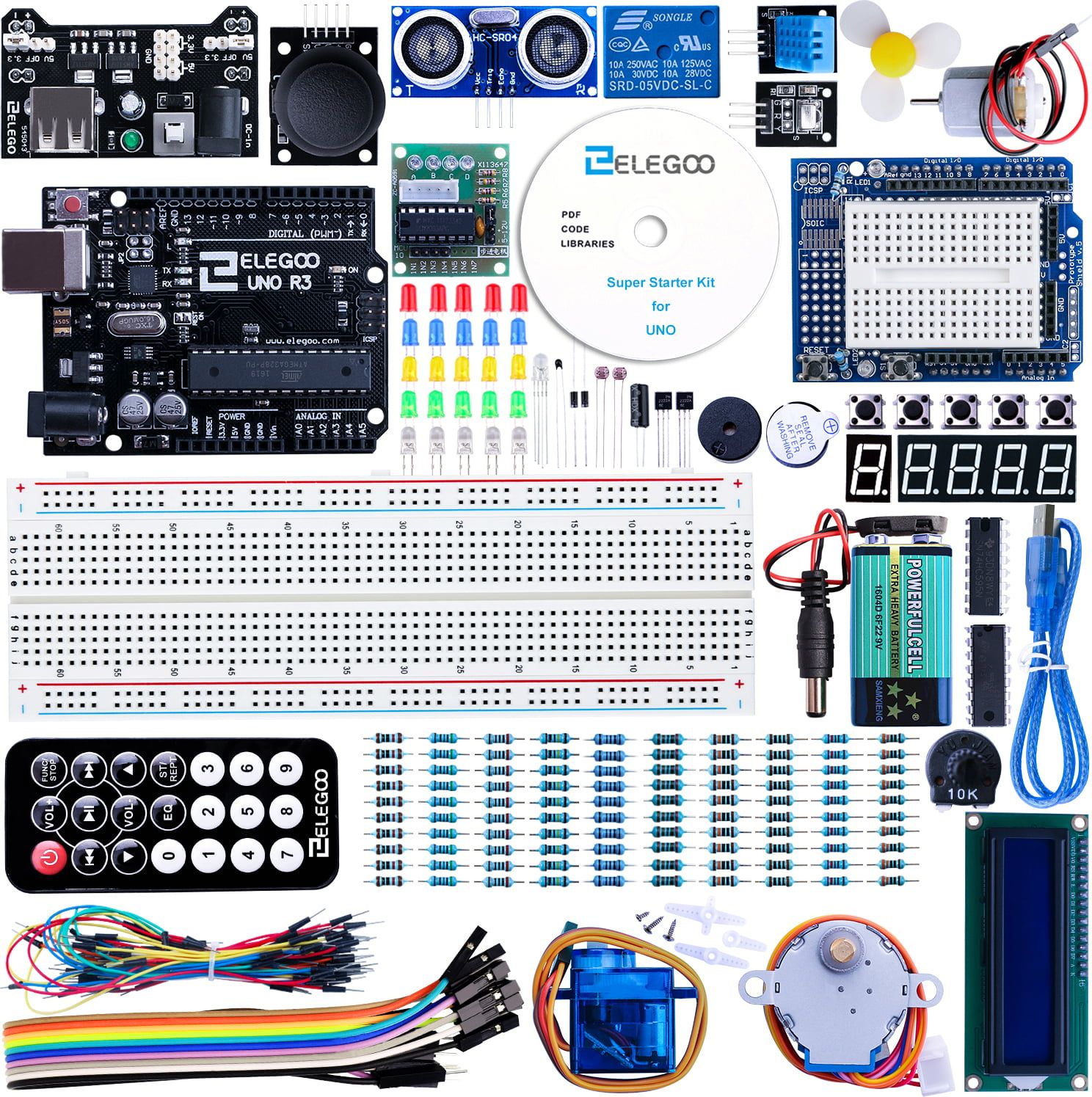
If you prefer a lower-cost but well-documented route into Arduino, Elegoo kits offer an UNO-compatible board, a wide selection of modules and a clear tutorial pack. They work with the Arduino IDE and provide hands-on learning for sensors, displays and small motors. These kits are an excellent starter for adults and teens learning electronics without a big budget.
ELEGOO UNO starter kit on Amazon UK
Makeblock’s mBot line focuses on education: kids build physical robots, then program them using block coding or Arduino C as they advance. The Ultimate 10-in-1 kit lets you build multiple robot types (tank, robot arm, rover), which keeps learning fresh and creative. It’s sturdy and classroom-friendly, making it a good choice for ages 8–14.

Sphero BOLT is a robust, programmable robot ball that students program using block-based tools and JavaScript as they progress. It includes an LED matrix, built-in sensors and a waterproof design. Educators like its classroom packs and rich lesson content. It suits younger learners and teachers who want engaging activities.

LEGO’s Robot Inventor set blends familiar LEGO building with programmable hubs and motors. It works for learners who value construction-first design with coding layered on top. Its visual programming and upgrade path into Python make it suitable for kids and older beginners who want playful, expandable robot projects.
LEGO MINDSTORMS Robot Inventor on Amazon UK

Robotics projects expand quickly. A few small purchases make life easier and unlock new projects:
For convenience, you can find most of these items on Amazon UK alongside the kits above.
Q1: Which robotics kit is best for absolute beginners with no coding experience?
A: If you’re starting from scratch, kits like Sphero BOLT or Makeblock mBot are excellent because they use block-based coding. This visual style feels more like puzzle pieces than writing code, helping learners (kids or adults) grasp logic before moving on to Python or Arduino C.
Q2: What’s the difference between Raspberry Pi and Arduino for robotics?
A: Raspberry Pi is a full single-board computer that runs an operating system, supports Python, and handles complex tasks like computer vision or AI. Arduino is a microcontroller, designed for precise, real-time control of sensors, motors, and actuators. In many projects, both work together: Pi for “brains” (processing, decision-making) and Arduino for “muscle” (low-level control).
Q7: Do these kits require internet access to work?
A: Most kits don’t need constant internet once set up. Raspberry Pi does need a Wi-Fi or Ethernet connection initially to download software and updates. Arduino can work fully offline once you’ve installed the Arduino IDE. Sphero and Makeblock kits typically use Bluetooth to connect to a tablet or laptop.
This guide is part of our UK Tech Revolution 2025 Hub , where we explore AI, robotics, supercomputing, and essential digital skills shaping the future. Visit the hub to discover more resources and stay ahead in the UK’s fast-evolving tech landscape.